How your products get into Shopify Catalog
When someone asks ChatGPT or Google's AI to recommend a product, it does not browse your website the way a shopper would. It reads a version of your products that Shopify has written for it, and you have never seen that version. Most brands have not looked at it at all.
Alex Linewitsch, CPO
|

In short
When someone shops with ChatGPT or Google's AI, it reads a version of your products that Shopify writes for it, not your website. You never see or edit that version, but you can look it up with our free tool at tools.glara.ai/catalog.
If you sell in another language, it translates everything into English, and the translation is sometimes wrong.
It also sorts your products into its own categories and labels, which do not always match yours. Because AI filters on those, a wrong one quietly costs you sales.
You can fix both yourself: write clear product copy, and fill in your product details instead of leaving them for the AI to guess.
This runs on a new standard called UCP (Universal Commerce Protocol). Getting recommended by AI already matters everywhere. The checkout part, where AI buys for the shopper, is newer and still mostly in the US.
What Shopify Catalog and UCP are
Shopify Catalog is one large feed of products, drawn from every store on Shopify. When someone asks ChatGPT, Microsoft Copilot, or Google's AI for something to buy, it does not open store websites one by one. It reads this feed.
UCP, short for Universal Commerce Protocol, is the standard underneath it. Google and Shopify launched it together in January 2026, and it lets AI find products, build a cart, and take payment, using one set of rules that works at any store. You list your products once, and they can show up wherever AI is helping someone shop. It is not your website, and it is not Google search. It is a new place, and most brands have not yet looked at how it handles their data.
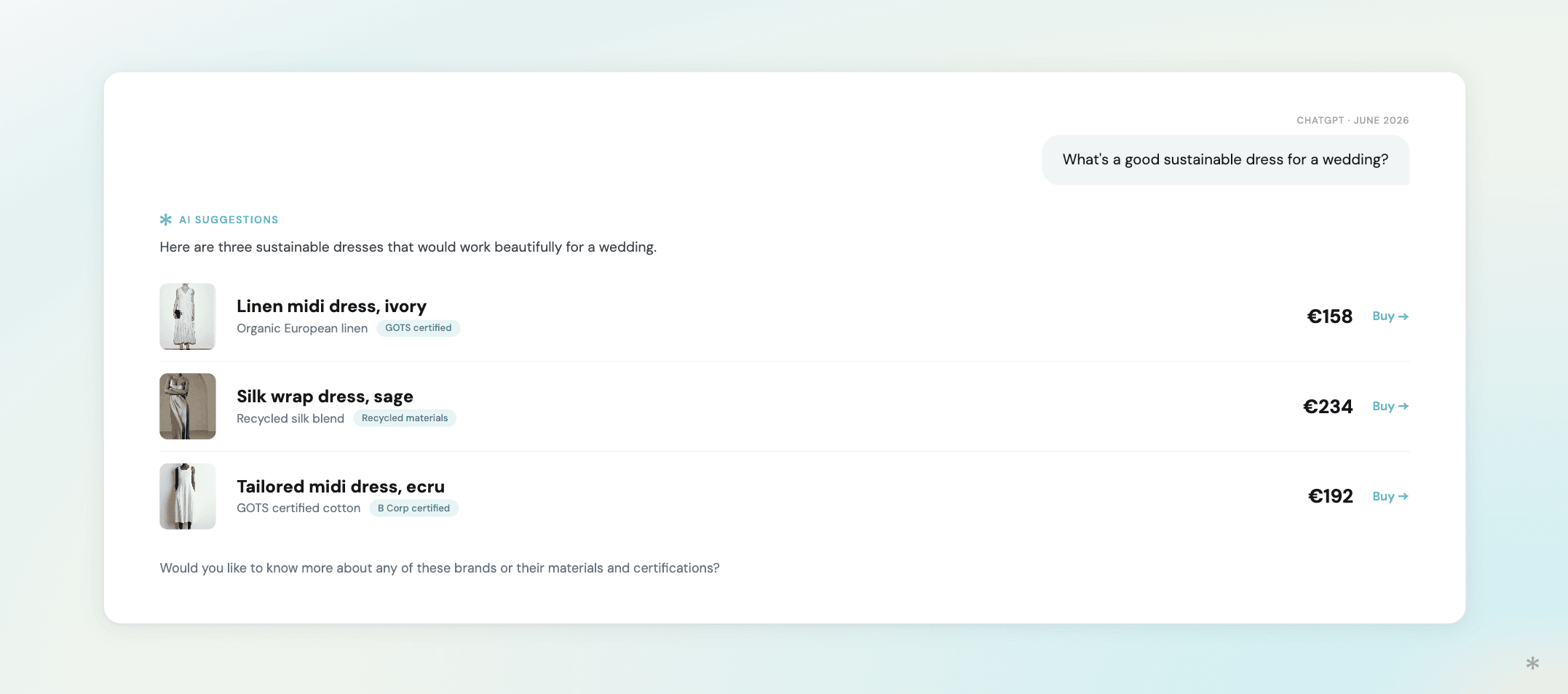
Where this is live right now
It helps to be clear about where this stands today, because there is a lot of hype and it is easy to get the wrong idea.
The part that already works everywhere is getting found. Ask ChatGPT or Google for a product, and it suggests a few and points the shopper to a store to buy. That happens worldwide today, Europe included, and many brands already see real sales from it. If AI cannot find your products, or gets them wrong, you lose that traffic now, not at some point in the future.
The newer part, still mostly in the US, is the checkout, where AI takes the payment itself and the shopper never leaves the chat. That is the piece Shopify built Catalog and UCP for, and it is rolling out in the US first. Both Shopify and Google say more countries are coming, but neither has given a date.
So wherever you sell, this already matters for getting found. The AI checkout is extra upside that grows as it reaches your market.
What this means for your brand
Most brands imagine this working like a Google search, where the AI reads a few websites and picks one. That is not what happens.
When a product enters Shopify Catalog, Shopify's AI reads your title, description, and images, and then writes its own version of the product: a cleaned-up title, a short description, a selling point, a few features, some specs, and a set of standard details like fabric, fit, and waist rise. When a shopper sees your product through AI, that rewritten version is what they get. Your own page is only the starting point.
You will not find this version anywhere in your admin, and you cannot edit it. We built a free tool that lets you see it, at tools.glara.ai/catalog. On one brand we studied, Shopify had written all of these fields for all 126 of its products, and not a single one came back empty. When the AI is unsure about something, it does not leave a gap. It guesses, and serves the guess as fact.
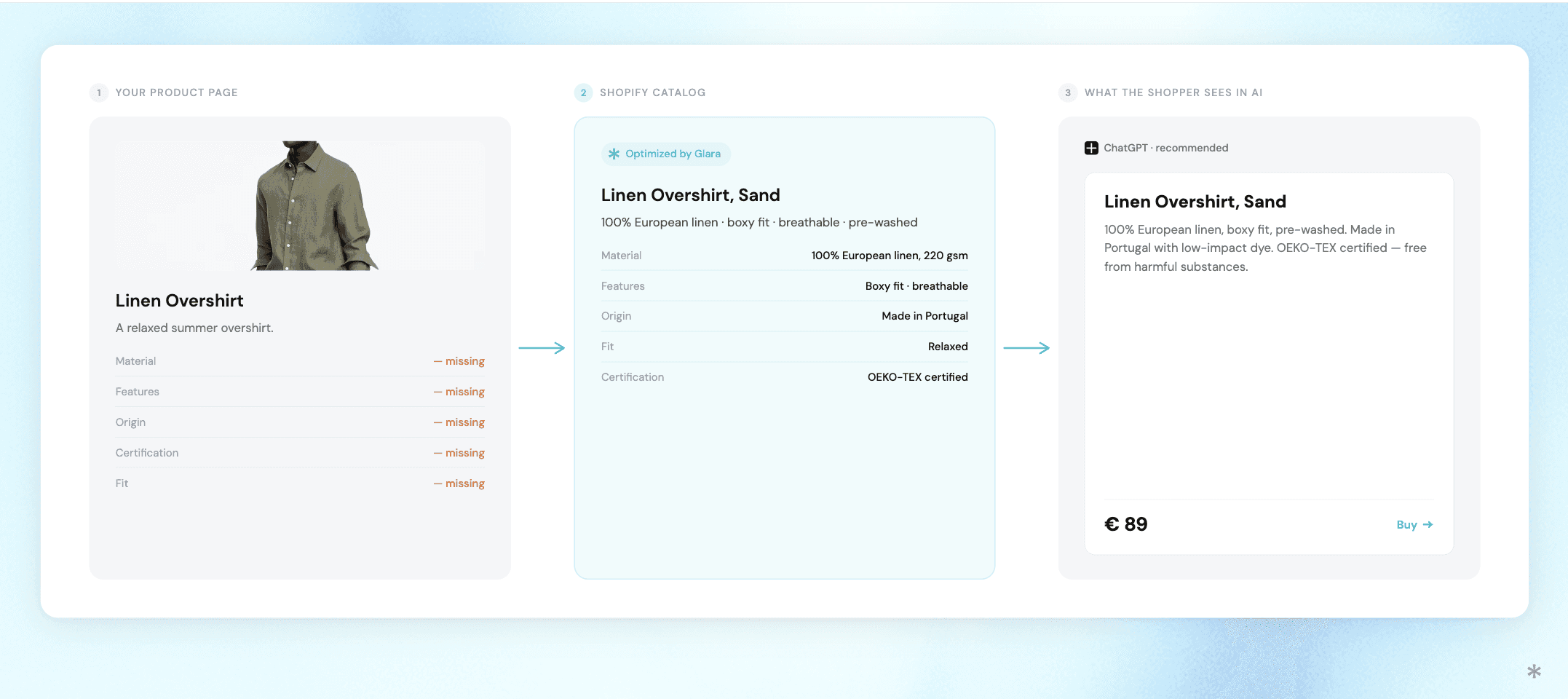
So the job is simple to describe. Make sure the version Shopify writes about you is correct. Most of the time it is. But it goes wrong in two ways, and both are worth knowing.
Where the rewrite goes wrong, and how to fix it
When it gets the translation wrong
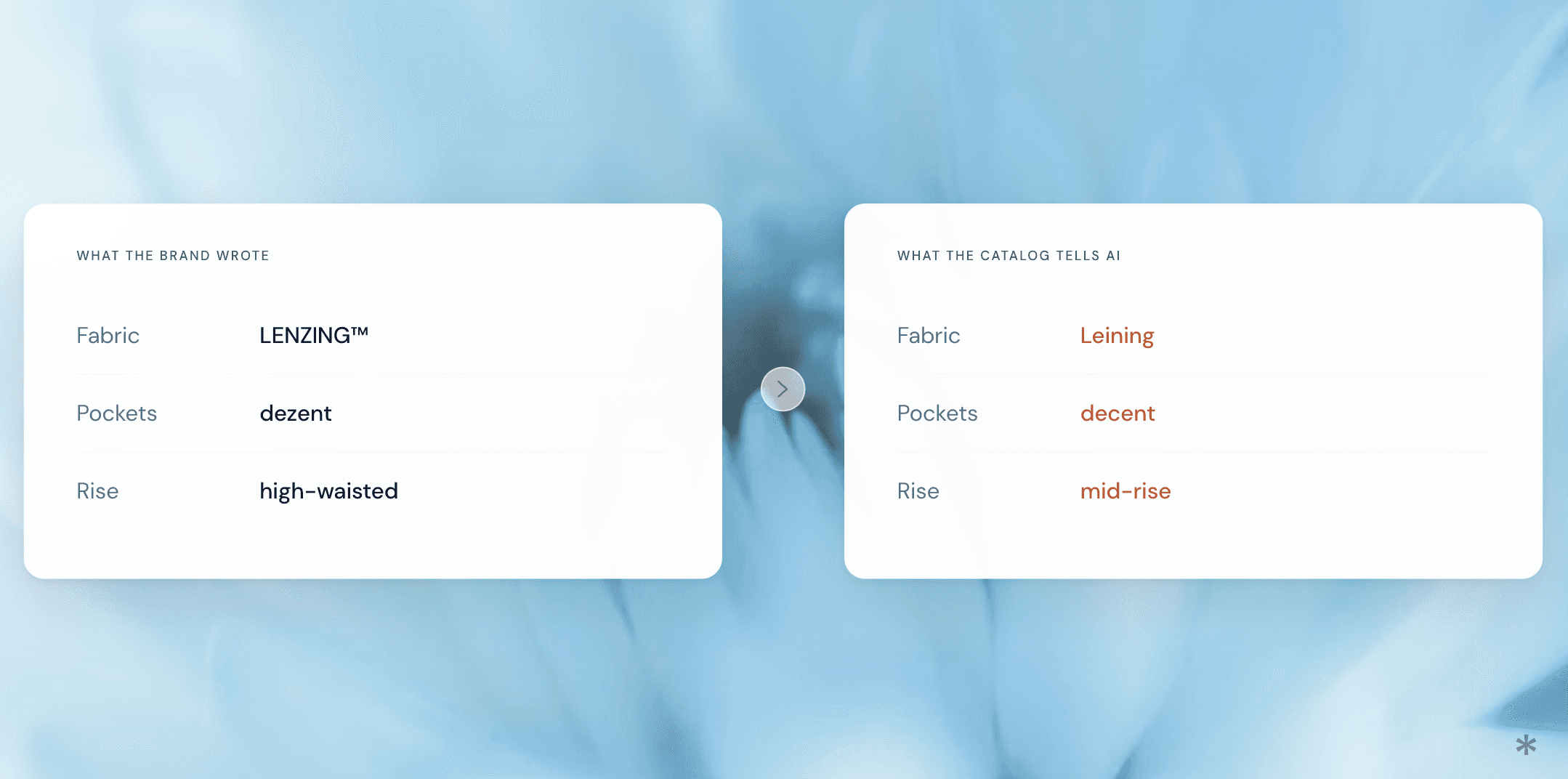
Shopify translates every product into English, including stores that sell in another language. Most of the text comes through fine. It trips on the parts that matter. One product listed a fabric made with LENZING, a real branded fibre. The catalog turned that into "Leining", which is not a material at all. Another described its pockets as "dezent", which is German for understated. The catalog called them "decent" pockets, which means something else entirely.
There is a fix here, though a limited one. Write your product copy in clear, plain language, and keep brand and fabric names spelled the normal way. If you sell in more than one language, giving the AI clean English to work from leaves it less room to slip. You still will not see the result, so the only way to be certain is to read your catalog the way an AI does and compare it against what you actually meant.
When it gets the details wrong
This second problem is the worse one, because writing in English does not solve it.
Shopify sorts every product into a fixed list of details: fabric, fit, waist rise, type of garment. Sometimes it picks the wrong value, even when you said the right one plainly. One product was clearly described as high-waisted. The catalog filed it as mid-rise. Another, a bodysuit, came back labelled a jumpsuit. On a few products we found something odder still: the raw text "Pattern: []," left sitting in the specs where a real value should be, sent to shoppers exactly like that, because nothing checks the output first.
The reason this happens is that Shopify does not use your categories. It maps every product onto its own fixed list, the Standard Product Taxonomy, which has a set vocabulary for things like fit and waist rise. When the way you describe a product does not line up neatly with that list, or when you have not chosen a value yourself, the AI decides where your product belongs. Its choice follows Shopify's taxonomy, not the way you would describe the product, so it can land somewhere you would never have put it.
This is the one that costs you. The AI does not just show these details, it filters on them. Ask it for high-waisted leggings, and a product filed as mid-rise never makes the list. The shopper never sees it, and neither do you.
The fix is to hand Shopify the answer instead of letting it guess. These details are not only the AI's to fill in. They already live on your product as category metafields, the fields that come with your product category. Fill them in with the right values, and you have given Shopify the answer for the exact fields it would otherwise guess at. Plain text is something the AI has to read and interpret. A filled-in field is not.
Shopify even offers to help, and most stores walk straight past it. When you set a product's category, it suggests values for these fields right inside the product editor, highlighted and ready to accept with a click, and it fills some in for you by default. The problem is that you do this one product at a time. There is no built-in way to accept the suggestions in bulk, so most catalogs are left half-empty, and the AI fills the gaps with guesses.
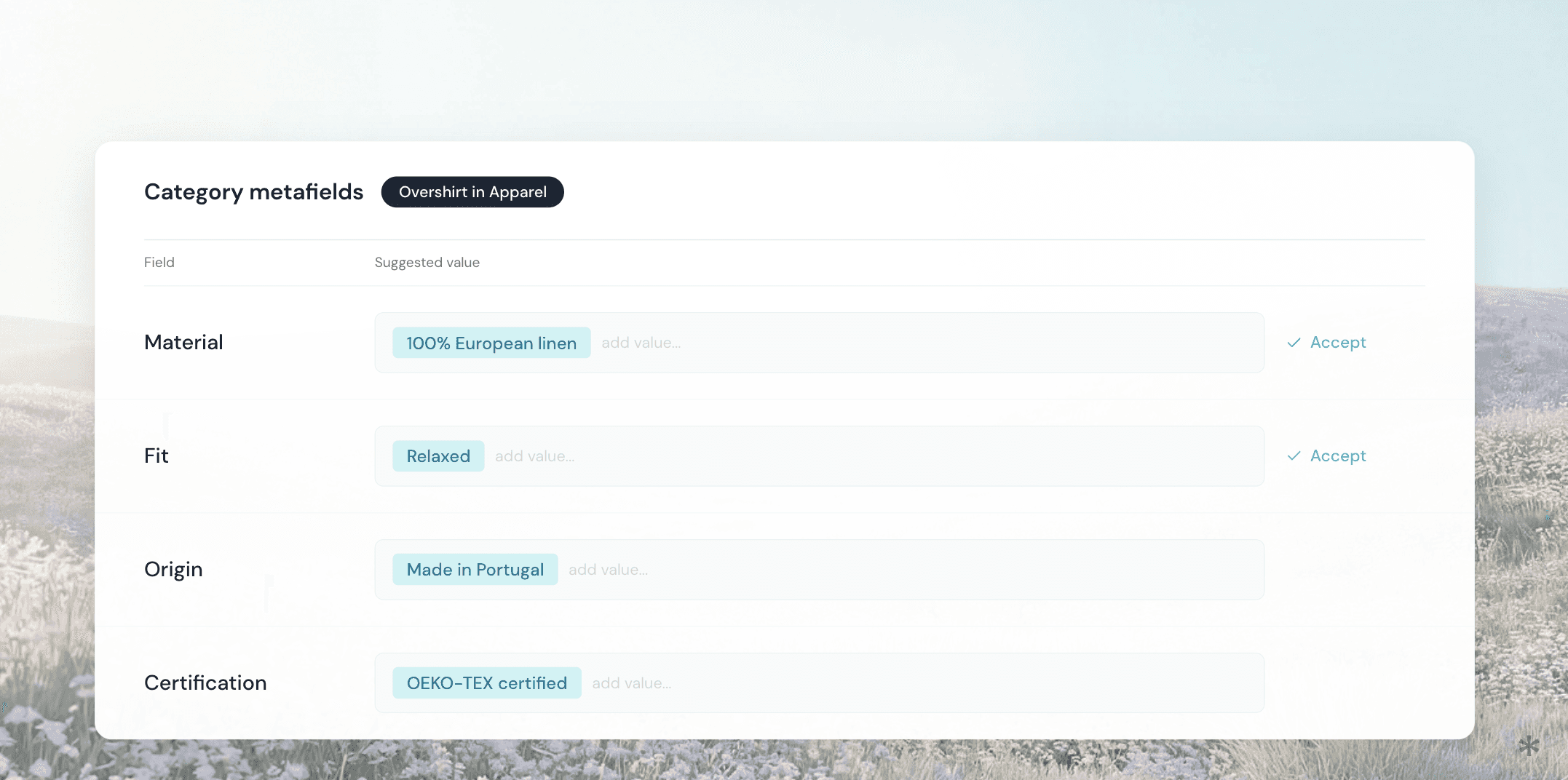
This is part of what we build at Glara. We are adding a way to accept and correct these suggested values across a whole catalog at once, rather than product by product. Because the same fields feed Shopify Catalog, filling them in properly also hands the AI cleaner data, and less room to get you wrong.
What I would do about it
This is Shopify Catalog as it works in mid-2026, through one set of AI tools, and it is moving fast, so treat the specifics as a snapshot.
Still, the main idea is simple. What an AI tells a shopper about your product is a version Shopify writes, one you never see, and it is only as good as the data you give it. If I were running a brand on Shopify today, I would do three boring things: fill in the product detail fields instead of leaving them blank, write product copy that is clear and plain so there is less to get wrong, and read what the catalog actually says about my products rather than trusting my own page. None of it is clever. It is just the work this rewards.
What recently changed
One quick note, because it shows how new this is. Until a few weeks ago, these tools used an older Shopify connection that could only browse products. Shopify replaced it with one built on UCP that also handles the full purchase, cart and checkout included. Shopify said it would switch the old one off in mid-June 2026. When we checked, it was still on. Shopify explains the new standard on its UCP page, if you want to go deeper. You do not need to follow the technical side. The point is just that this is new and still moving.

Create an account to track your AI visibility and start your 7-day free trial once setup is done.